
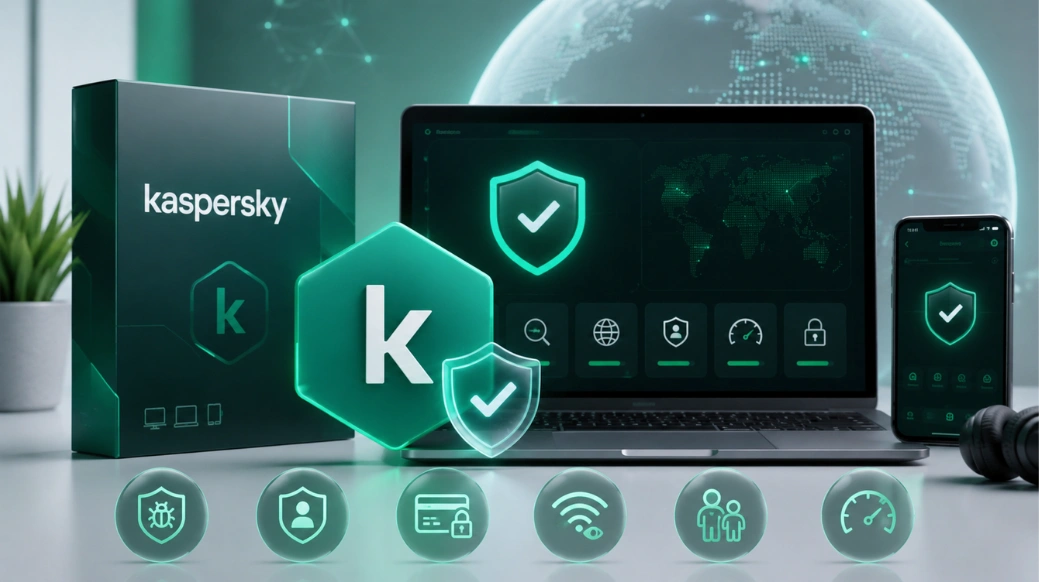
With cyber threats becoming more advanced every year, choosing the right antivirus software is essential for protecting your devices, personal information, and online activities. From ransomware attacks and phishing scams to malware and identity theft, internet users face a growing number of security risks. Among the many antivirus solutions available today, Kaspersky Antivirus remains one of the most trusted names in cybersecurity. Known for its strong malware detection rates, advanced security technologies, and user-friendly interface, Kaspersky continues to be a popular choice for both individuals and businesses.
In this comprehensive Kaspersky Antivirus Review 2026, we'll examine its features, pricing, performance, pros and cons, security capabilities, and whether it's worth your investment this year.
What Is Kaspersky Antivirus?
Kaspersky Antivirus is a cybersecurity solution developed by Kaspersky, a globally recognized security company with decades of experience in malware detection and cyber threat intelligence.
The software is designed to protect users against:
-
Viruses
-
Malware
-
Ransomware
-
Spyware
-
Trojans
-
Phishing attacks
-
Identity theft
-
Online scams
Kaspersky offers security products for:
-
Windows
-
Mac
-
Android
-
iOS
Its security suite ranges from basic antivirus protection to advanced internet security and premium identity protection packages.
Why Kaspersky Remains Popular in 2026
The cybersecurity landscape changes rapidly, but Kaspersky continues to rank among the top antivirus solutions because of its:
-
Excellent malware detection rates
-
AI-powered threat protection
-
Real-time security monitoring
-
Lightweight performance
-
User-friendly dashboard
-
Multi-device support
-
Affordable pricing plans
Millions of users worldwide trust Kaspersky to keep their devices safe from emerging cyber threats.
Key Features of Kaspersky Antivirus 2026
1. Real-Time Malware Protection
Kaspersky continuously monitors your device for suspicious activity.
It can detect and block:
-
Malware
-
Viruses
-
Trojans
-
Worms
-
Spyware
The software works in real time, preventing threats before they can damage your system.
Example
If you accidentally download an infected file, Kaspersky immediately scans it and blocks the threat before it executes.
2. Advanced Ransomware Protection
Ransomware attacks have become one of the biggest cybersecurity threats.
Kaspersky includes dedicated anti-ransomware technology that:
-
Detects suspicious encryption activity
-
Blocks malicious programs
-
Protects sensitive files
-
Prevents unauthorized access
This feature is particularly useful for businesses and remote workers.
3. Anti-Phishing Protection
Phishing attacks continue to target users through fake emails and websites.
Kaspersky identifies:
-
Fraudulent websites
-
Fake login pages
-
Scam emails
-
Dangerous links
This helps protect users from identity theft and financial fraud.
4. Safe Browsing Technology
Safe Browsing provides an extra layer of protection while surfing the internet.
Benefits include:
-
Blocking harmful websites
-
Detecting unsafe downloads
-
Preventing malicious redirects
-
Protecting online transactions
This feature is especially valuable for online shoppers and banking users.
5. VPN and Privacy Protection
Certain Kaspersky plans include VPN functionality.
The VPN helps:
-
Hide your IP address
-
Secure public Wi-Fi connections
-
Protect browsing activity
-
Improve online privacy
This is particularly useful when traveling or using public networks.
6. Password Manager
Managing dozens of passwords can be challenging.
Kaspersky Password Manager allows users to:
-
Store passwords securely
-
Generate strong passwords
-
Autofill login credentials
-
Sync passwords across devices
This improves both convenience and security.
7. Multi-Device Protection
One subscription can protect multiple devices.
Supported platforms include:
-
Windows PCs
-
Mac computers
-
Android smartphones
-
iPhones and iPads
Families and small businesses often find this feature cost-effective.
Kaspersky Pricing Plans 2026
Kaspersky offers several security packages designed for different user needs.
1. Kaspersky Standard
Suitable for users seeking essential antivirus protection.
Features:
-
Malware protection
-
Anti-phishing
-
Real-time security
-
Performance optimization
Best for:
-
Home users
-
Students
-
Casual internet users
2. Kaspersky Plus
Includes additional privacy and performance tools.
Features:
-
VPN services
-
Password manager
-
Enhanced security controls
-
Identity protection
Best for:
-
Remote workers
-
Frequent travelers
-
Privacy-conscious users
3. Kaspersky Premium
The most advanced package.
Features:
-
Complete device protection
-
Priority support
-
Identity monitoring
-
Advanced privacy tools
Best for:
-
Professionals
-
Businesses
-
Users handling sensitive data
4. Kaspersky Antivirus Performance Test
One reason Kaspersky consistently receives high ratings is its excellent performance.
Security Performance
Kaspersky scores highly in:
-
Malware detection
-
Threat removal
-
Ransomware prevention
-
Phishing protection
System Performance
Unlike some antivirus programs, Kaspersky has minimal impact on device performance.
Benefits include:
-
Fast scans
-
Low CPU usage
-
Reduced memory consumption
-
Smooth system operation
Users can continue working, streaming, or gaming without noticeable slowdowns.
Kaspersky User Interface and Ease of Use
Kaspersky's interface is designed to be simple and intuitive.
Key advantages include:
-
Easy navigation
-
Clean dashboard
-
Quick access to security tools
-
Clear threat notifications
Even users with limited technical knowledge can easily manage their security settings.
Kaspersky for Businesses
Kaspersky isn't just for home users.
Businesses benefit from solutions such as:
-
Kaspersky Endpoint Security
-
Kaspersky Small Office Security
-
Kaspersky Endpoint Detection and Response (EDR)
-
Kaspersky Threat Intelligence
Business features include:
-
Centralized management
-
Endpoint protection
-
Ransomware defense
-
Cloud security
-
Compliance support
This makes Kaspersky a strong option for organizations of all sizes.
Pros of Kaspersky Antivirus
1. Excellent Malware Detection
Kaspersky consistently identifies and blocks threats before they can cause harm.
2. Strong Ransomware Protection
Advanced anti-ransomware technology helps protect critical files.
3. User-Friendly Interface
The software is easy to install and use.
4. Affordable Pricing
Multiple plans suit different budgets.
5. Multi-Device Support
Protect multiple devices with a single subscription.
6. Lightweight Performance
Minimal impact on system speed.
6. Strong Privacy Features
VPN and password management tools improve online privacy.
Cons of Kaspersky Antivirus
1. Some Features Limited to Higher Plans
Advanced privacy tools and VPN services may require upgraded subscriptions.
2. VPN Data Limits on Certain Plans
Some packages include limited VPN usage.
3. Advanced Business Features Require Separate Products
Enterprise-level protection may require dedicated business solutions.
Kaspersky vs Competitors
1. Kaspersky vs Norton
Kaspersky generally offers:
-
Better malware detection
-
More advanced security controls
-
Lower system impact
Norton provides:
-
Strong identity protection
-
Larger VPN offerings
2. Kaspersky vs McAfee
Kaspersky is often praised for:
-
Faster performance
-
Simpler interface
-
Strong threat detection
McAfee offers broader identity protection services.
3. Kaspersky vs Bitdefender
Both products provide excellent security.
Kaspersky often stands out for:
-
Threat intelligence
-
Ease of use
-
System performance
Bitdefender is known for extensive customization options.
Is Kaspersky Worth It in 2026?
For most users, the answer is yes.
Kaspersky continues to provide:
-
Reliable malware protection
-
Excellent ransomware defense
-
Strong privacy tools
-
Multi-device security
-
Affordable pricing
Whether you're protecting a personal laptop, family devices, or business systems, Kaspersky offers excellent value for money.
Who Should Use Kaspersky?
Kaspersky is ideal for:
-
Home Users
Protect personal devices and online activities.
-
Students
Secure laptops and mobile devices.
-
Remote Workers
Protect sensitive work information.
-
Small Businesses
Secure endpoints and company data.
-
Frequent Travelers
Use VPN protection on public Wi-Fi networks.
FAQs
1. Is Kaspersky Antivirus safe to use in 2026?
Yes. Kaspersky continues to provide advanced protection against malware, ransomware, phishing attacks, and other cyber threats.
2. Does Kaspersky slow down computers?
No. Kaspersky is known for its lightweight design and minimal impact on system performance.
3. Is Kaspersky good for gaming?
Yes. Kaspersky includes gaming-friendly features that reduce interruptions while gaming.
4. Does Kaspersky include a VPN?
Yes. VPN functionality is included with selected plans.
5. Which Kaspersky plan is best?
Kaspersky Plus is often considered the best balance of security, privacy, and value for most users.
6. Can businesses use Kaspersky?
Yes. Kaspersky offers dedicated business security solutions for small businesses, enterprises, and large organizations.