
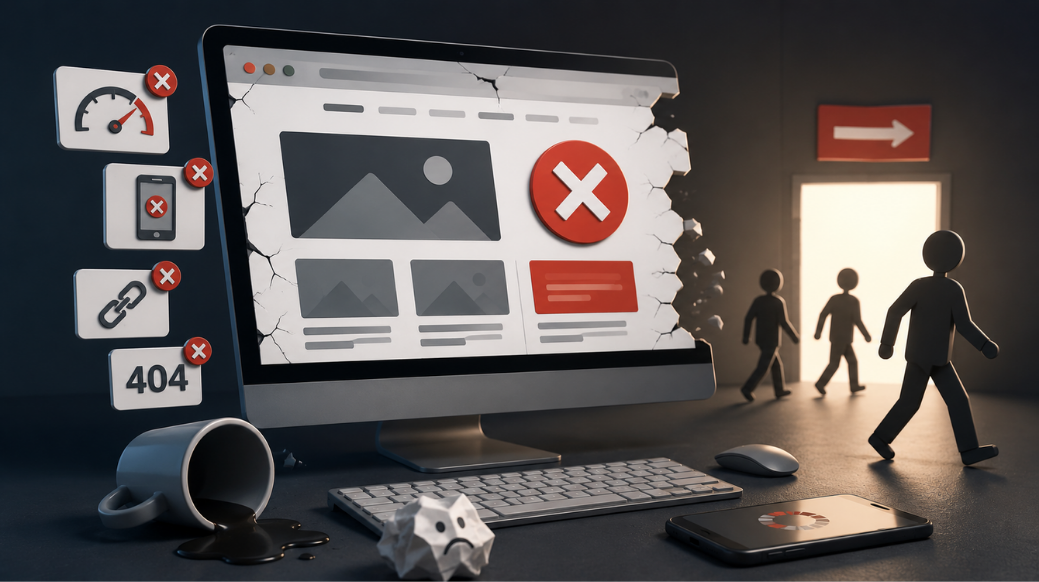
A website is often the first place potential customers learn about a business. They may visit your website to understand your services, compare your company with competitors, check reviews, or contact your team.
But what happens when the website is slow, confusing, outdated, or difficult to use?
A business can spend money on SEO, Google Ads, social media, and other marketing activities to bring visitors to the website. However, poor website design can make those visitors leave before they become customers.
Situation
Why Good Website Design Matters for Businesses
Your website is more than an online brochure. It is an important part of how customers experience your business.
Before contacting a company, customers often visit its website to find answers to simple questions:
-
What does this business offer?
-
Can this company solve my problem?
-
Does the business look trustworthy?
-
How much experience does it have?
-
How can I contact them?
-
What should I do next?
A well-designed website makes these answers easy to find.
Good business website design can help you:
-
Create a strong first impression
-
Build customer trust
-
Explain products and services clearly
-
Make navigation easier
-
Generate enquiries and leads
-
Support online sales
-
Strengthen your brand
-
Support SEO and digital marketing
For example, imagine a customer searches Google for a website design company. They click on a website, but the page takes several seconds to load. The menu is confusing, the content looks outdated, and the contact button is difficult to find.
The customer may simply return to Google and choose another company.
This shows why website design is closely connected to customer experience and business results.
Complication
Website Design Mistakes That Can Cost You, Customers
Getting visitors to your website is only the first step. The next challenge is keeping them interested and helping them take action.
Several common website design mistakes can create problems.
1. Slow Website Loading Speed
Visitors do not want to wait for a page to load.
Large images, unnecessary website elements, poor hosting, excessive scripts, and other issues can slow down a website.
Example
Imagine someone is searching for a service and visits your website from their phone. The page takes several seconds to load. Instead of waiting, they return to Google and visit a competitor's website.
Why it matters
A slow website can create frustration and reduce the chance of visitors exploring your services or contacting your business.
2. Poor Mobile Website Design
A website that works well on a desktop may still provide a poor experience on mobile devices.
Common problems include:
-
Small text
-
Buttons that are difficult to tap
-
Images that do not fit the screen
-
Difficult menus
-
Forms that are hard to complete
-
Excessive scrolling
Your website should be easy to use on smartphones and tablets as well as desktops.
Quick test
Open your website on your phone and try to:
-
Find your main service.
-
Find your phone number.
-
Open your contact page.
-
Submit an enquiry.
-
Return to the homepage.
If these actions are difficult, your mobile website design needs attention.
3. Confusing Website Navigation
Customers should not have to search through multiple pages to find basic information.
A complicated menu can make it difficult to find:
-
Services
-
Products
-
Pricing
-
About Us
-
Contact information
-
Important resources
Keep navigation simple and use clear names that visitors understand.
4. Outdated Website Design
An outdated website can affect customer confidence.
Old images, broken layouts, outdated information, poor mobile design, and old-fashioned visual elements can make a business appear less professional.
A modern website does not need excessive animations or complicated effects.
It needs to be:
-
Clean
-
Easy to navigate
-
Mobile-friendly
-
Up to date
-
Professional
-
Easy to understand
5. Weak or Unclear Calls to Action
A customer may be interested in your service but still leave because they do not know what to do next.
Useful calls to action include:
-
Get a Quote
-
Contact Us
-
Call Now
-
Request a Consultation
-
Book a Service
-
Send an Enquiry
-
Buy Now
The CTA should match the purpose of the page.
For example, a service page could end with:
Need Professional Website Design? Request a Consultation Today.
6. Too Much Information on One Page
More content does not always mean better content.
Large blocks of text and overcrowded layouts can make information difficult to understand.
Instead, use:
-
Short paragraphs
-
Clear headings
-
Bullet points
-
Relevant images
-
Proper spacing
-
Easy-to-scan sections
Visitors should be able to find important information without reading every sentence.
7. Poor-Quality Images
Images affect how customers perceive a business.
Blurry, stretched, irrelevant, or outdated images can make a website look unprofessional.
Use clear and relevant images that support your products, services, team, projects, or brand.
8. Difficult-to-Read Content
Even useful content can fail if visitors cannot read it comfortably.
Avoid:
-
Very small fonts
-
Long blocks of text
-
Poor spacing
-
Weak headings
-
Difficult colour combinations
Use clear fonts, short paragraphs, descriptive headings, and enough white space.
9. Missing Contact Information
Customers should not have to search for your phone number or email address.
Depending on your business, make these details easy to access:
-
Phone number
-
Email address
-
WhatsApp
-
Contact form
-
Office address
-
Business hours
-
Google Maps location
If a customer wants to contact you but cannot quickly find how, you may lose the enquiry.
10. Complicated Contact Forms
Long enquiry forms can discourage potential customers.
If you only need a name, phone number, email address, and enquiry details, there may be no reason to ask for unnecessary information.
Keep forms simple and make the enquiry process easy.
11. Lack of Trust Signals
Customers want to know whether a business is genuine and reliable.
Useful trust signals include:
-
Customer reviews
-
Testimonials
-
Client logos
-
Certifications
-
Awards
-
Case studies
-
Project examples
-
Industry experience
For example, a customer comparing two companies may feel more confident about the company that clearly displays genuine testimonials and previous work.
12. Poor Website Layout
A website should guide visitors toward important information.
A good service page can follow a simple structure:
What you offer → Benefits → Features → Proof → Next step
This makes it easier for visitors to understand your service and decide what to do next.
13. Broken Links and Website Errors
Broken links, missing images, incorrect buttons, and 404 pages can damage customer trust.
If a visitor clicks Get a Quote and reaches a missing page, they may not try again.
Regularly test:
-
Website links
-
Forms
-
Buttons
-
Images
-
Menus
-
Service pages
-
Product pages
14. Poor User Experience
A website can look attractive but still be difficult to use.
Good website design should answer:
-
Can visitors understand the business quickly?
-
Can they find what they need?
-
Can they navigate easily?
-
Can they contact the company?
-
Does the website work on mobile?
-
Is the next step clear?
Design should focus on the customer's needs, not only the appearance of the website.
15. Ignoring SEO During Website Design
SEO should not be added only after a website is completed.
Website design and SEO can work together through:
-
Clear headings
-
Logical page structure
-
Clean URLs
-
Internal links
-
Mobile usability
-
Page speed
-
Optimised images
-
Well-organised content
A website can look attractive but still struggle to attract organic traffic if its structure and content are difficult for search engines to understand.
16. Making Important Services or Products Difficult to Find
Your main services and products should be easy to access.
For example, if a business provides website design, website development, SEO, and digital marketing services, visitors should be able to find these pages without going through several unnecessary steps.
Important pages can be linked from:
-
Main navigation
-
Homepage
-
Service sections
-
Blog articles
-
Relevant internal pages
Question
How Can Businesses Avoid Website Design Mistakes That Cost Customers?
The important question is not simply:
“Does my website look good?”
A better question is:
“Does my website make it easy for customers to understand my business, trust my company, find information, and take action?”
A successful website should help visitors move through a simple journey:
Understand → Explore → Trust → Contact → Convert
If visitors face unnecessary problems at any stage, there is a chance they may leave.
That is why businesses should regularly review their website from the customer's point of view.
Answer
How to Fix Common Website Design Problems
The good news is that many website design problems can be fixed without completely rebuilding the website.
1. Make Your Website Mobile-Friendly
Test your website on smartphones and tablets.
Check:
-
Text size
-
Buttons
-
Menus
-
Images
-
Forms
-
Page layout
Make sure visitors can complete important actions without difficulty.
2. Improve Website Loading Speed
Review large images, unnecessary scripts, plugins, hosting, and other elements that may affect performance.
Fast-loading pages provide a better experience and make it easier for visitors to access information.
3. Keep Navigation Simple
Use clear menu labels and organise pages logically.
Visitors should be able to reach your important services, products, and contact information without unnecessary clicks.
4. Use Clear Calls to Action
Every important page should have a relevant next step.
For example:
-
Service page → Request a Quote
-
Product page → Buy Now
-
Consultation page → Book a Consultation
-
Contact page → Send an Enquiry
5. Make Content Easy to Read
Use:
-
Short paragraphs
-
Clear headings
-
Bullet points
-
Simple language
-
Proper spacing
This makes information easier to scan.
6. Use Relevant, High-Quality Images
Use images that represent your actual products, services, projects, team, or business wherever possible.
7. Make Contact Details Easy to Find
Keep important contact options accessible from key areas of the website.
Do not make visitors search through multiple pages to find your phone number.
8. Simplify Enquiry Forms
Ask for the information you actually need.
A simple form can make it easier for visitors to submit enquiries.
9. Add Genuine Trust Signals
Use real testimonials, reviews, client logos, certifications, case studies, and project examples where appropriate.
10. Keep Website Content Updated
Review your:
-
Services
-
Products
-
Contact details
-
Images
-
Team information
-
Company information
-
Blog content
Remove outdated information and update important pages when your business changes.
11. Check Website Functionality
Regularly test your forms, links, buttons, menus, images, and important pages.
Do not wait for customers to report problems.
12. Follow Basic SEO Practices
Website design should support SEO through logical structure, useful content, mobile usability, internal links, clear headings, and descriptive URLs.
Does Website Design Affect SEO?
Yes, website design can affect several areas related to search visibility and user experience.
A well-structured website can make it easier for visitors to navigate and for search engines to understand your content.
Important areas include:
1. Mobile Usability
Pages should work properly across different devices.
2. Page Speed
Faster pages can provide a better experience for users.
3. Website Structure
Clear navigation, headings, categories, and URLs help organise information.
4. Internal Linking
Relevant links help visitors discover additional content and connect related pages.
5. Content Structure
Well-organised content helps both visitors and search engines understand the purpose of a page.
This is why SEO should be considered during the website design and development process.
Website Design Mistake Checklist
Use this checklist to review your website:
-
Does the website work properly on mobile?
-
Do important pages load quickly?
-
Is the navigation simple?
-
Are your main services easy to find?
-
Are contact details easy to access?
-
Are CTAs clearly visible?
-
Are forms simple?
-
Is the content easy to read?
-
Are images clear and relevant?
-
Are genuine reviews or testimonials displayed?
-
Are all important links working?
-
Are there broken pages or 404 errors?
-
Is the website content up to date?
-
Is the website structured for SEO?
-
Can a new visitor understand your business quickly?
If you answer “No” to several of these questions, your website may be losing potential customers.
How Professional Website Design Can Support Business Growth
A professional website should support both customer needs and business goals.
It can help with:
-
Better user experience
-
Stronger brand credibility
-
More enquiry opportunities
-
Better conversion opportunities
-
Easier access to products and services
-
Stronger online visibility
-
Better support for SEO
-
A professional online presence
At Way 2 WebSoft, website design and development can be planned around your business goals, target audience, services, and digital marketing requirements.
The goal should not simply be to create an attractive website. A business website should be easy to use, mobile-friendly, clearly structured, informative, and designed to guide visitors toward meaningful actions.
If your existing website receives visitors but generates fewer enquiries than expected, a website review can help identify problems with design, navigation, content, mobile usability, CTAs, and conversion paths.
When Should a Business Consider a Website Redesign?
A complete redesign may be worth considering when:
-
Your website looks outdated
-
It does not work properly on mobile
-
Pages load slowly
-
Navigation is confusing
-
Your business has changed
-
You have added new services
-
Your website receives traffic but few enquiries
-
Forms are difficult to use
-
Your website no longer represents your brand
-
Important pages are difficult to find
-
The website is difficult to update
A redesign should not simply change colours, fonts, or images. It should solve real customer and business problems.
Frequently Asked Questions
1. What are the most common website design mistakes?
The most common mistakes include slow loading speed, poor mobile design, confusing navigation, outdated layouts, unclear calls to action, complicated forms, weak trust signals, poor content structure, and broken links.
2. How does poor website design affect customers?
Poor website design can make it difficult for visitors to find information, understand services, trust a business, or contact the company. This can lead to lost enquiries and potential sales.
3. Why is mobile-friendly website design important?
Many customers use smartphones to search for businesses, products, and services. A mobile-friendly website makes it easier for them to read content, navigate pages, complete forms, and contact a company.
4. Can website design affect SEO?
Yes. Website structure, mobile usability, page speed, headings, URLs, internal links, and content organisation can affect how users and search engines interact with a website.
5. How can I tell if my website needs a redesign?
Your website may need a redesign if it looks outdated, works poorly on mobile, loads slowly, has confusing navigation, receives visitors but few enquiries, or no longer represents your business.
6. What makes a good business website?
A good business website should be fast, mobile-friendly, easy to navigate, informative, trustworthy, visually clear, and focused on helping visitors take the next step.
7. How can website design improve conversions?
Clear CTAs, simple navigation, useful content, trust signals, easy enquiry forms, and good mobile usability can make it easier for visitors to become leads or customers.
8. Should every website have a call to action?
Important pages should generally provide a clear next step. This could be calling the business, requesting a quote, booking a service, sending an enquiry, or making a purchase.
9. How often should businesses review their website?
Businesses should regularly check important content, links, forms, mobile usability, contact information, and website performance. A wider website review can also be performed periodically.
10. Can an attractive website still perform poorly?
Yes. A website can look attractive but still perform poorly if it is slow, difficult to navigate, confusing, not mobile-friendly, or missing clear calls to action.
11. What should businesses check before redesigning a website?
Review website speed, mobile usability, navigation, content, service pages, forms, CTAs, SEO structure, broken links, and conversion performance before deciding what needs to change.
Conclusion
The SCQA model — Situation, Complication, Question, and Answer — highlights an important business problem: getting visitors to your website is not enough. Your website must also give those visitors a good reason to stay, trust your business, and take action.
Slow pages, poor mobile design, confusing navigation, outdated content, unclear CTAs, complicated forms, and weak trust signals can all create barriers between your business and potential customers.
A successful website should guide visitors through a simple journey:
Understand → Explore → Trust → Contact → Convert
Review your website regularly and identify the problems that may be causing visitors to leave.
If you are planning a new website or considering a redesign, professional website design and development can help create a website that is useful for customers and supports your business goals.